The Means To Again Up Your Web Site Automatically 2026 Guide
An computerized backup gives you a duplicate of your website you could restore if one thing goes mistaken. Your WordPress site can run perfectly for years and still be introduced down in minutes. In this text, we’ll look at how automated WordPress backups work, what they need to include, and how to set them up correctly. Discovering that you just haven’t backed up your web site after something goes mistaken is already too late. Computerized server choice based on capability.
Keep a watch on cloud storage limits when keeping multiple variations. They are a useful first layer, however you want to maintain a minimum of one copy off-site and beneath your management in case of server issues BIG.HOSTING or account issues. They price more than free plugins, but they are excellent for business-critical websites, businesses managing many websites, and on-line shops. They often embrace malware scanning, uptime monitoring and one-click restores. Many hosts embody computerized daily or weekly backups, usually with one-click restore in the control panel.
- We ship clear, actionable insights that allow you to prioritize fixes, enhance incident response, and build a resilient cybersecurity posture tailored to your business.
- You confidently click “recover backup” and save the day, right?
- To restore website knowledge from any backup, you have to click on on the Actions menu and select a restore choice.
- Once created, manual backups may be found within the Handbook tab of the Manage Backups section.
- You don’t need to recollect to clean up old files or manage storage yourself; the system handles every little thing mechanically.
A reliable and secure website is essential for companies, bloggers, service providers, and online communities. Restore deleted website information from a backup with this step-by-step information to recuperate misplaced knowledge, fix lacking information, and get your web site operating once more safely. The service screens each backup, alerts you to any failures via email, offers staged restore testing, and provides professional assist if something goes incorrect throughout restoration. For production websites, testing on a staging copy first is ideal; for small websites, cautious guide verification of critical options is adequate. If your backup takes forty five minutes to restore in testing, that’s your precise RTO, not the 5-minute estimate on a product’s advertising page.
Building A Bulletproof Backup Technique: The 3-2-1 Rule
Let’s face it—organising automatic backup WordPress methods isn’t precisely the most exciting part of working an net site. Strive working a manual backup to see if the difficulty persists. Most backup plugins ship alerts when one thing goes mistaken, usually with helpful error particulars. Backup failures can happen for all sorts of causes, from server hiccups to storage connection points. Our testing at wpOncall reveals that incremental backups usually use 70-90% less server resources than full backups. If you update your blog every day with recent content, you’ll need more frequent backups than a static “digital enterprise card” website that rarely modifications.
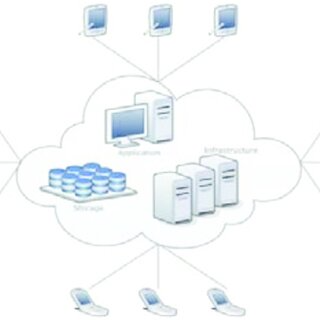
Automated cloud backups remedy this elementary downside by running invisibly within the background, storing your information off-site, and enabling recovery in hours as a substitute of days or even weeks. Local backups are good, but if the complete server fails, you would lose everything. If our content material has helped you, please contemplate donating—your contribution helps keep the positioning operating and permits us to maintain creating valuable content material.